HyperLiquid Order Types Explained: A Guide For Beginners
Following the November 2024 “$HYPE” airdrop, Hyperliquid continues to gain significant traction among crypto traders. Beyond the airdrop, what sets the platform apart from other decentralized exchanges is its fast trade execution speed and advanced trading options available to users. Today, Hyperliquid recorded over $ 4 billion in trading volume in 24 hours, as reported by CoinMarketCap.
What is Hyperliquid?
Hyperliquid is a decentralized exchange built on its own Layer-1 blockchain to facilitate fast perpetual future trading. It uses order books to increase trading speed while retaining necessary features of a true decentralized trading ecosystem, i.e, no KYC.
One of its key strengths is deep liquidity. With this, traders on Hyperliquid can execute large volume trades with little or no slippage. The platform also offers up to 40X leverage per trading pair, depending on the liquidity and size of the asset, making it an ideal choice for high-risk traders. For beginners, it is vital to understand the impact of using high leverage and manage risk accordingly.
Now, before you set your first order, let’s examine some of the trading options on Hyperliquid.
Order Types on Hyperliquid
Market Order:
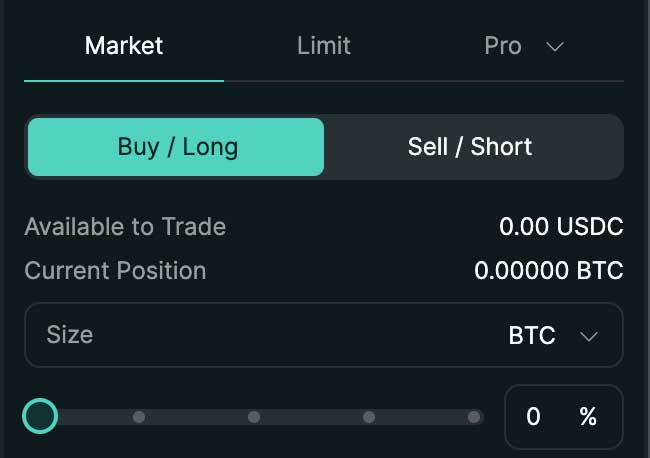
This implies buying or selling a crypto asset at the market price. It is an instruction to fill a long (buy) or short (sell) position at the current trading price of an asset. Market order is executed immediately.
Limit Order:
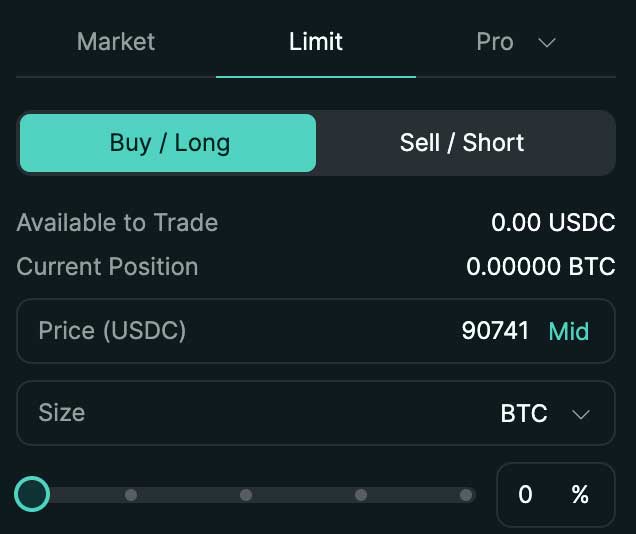
A limit order lets you specify the price at which your long or short order is filled. You are basically instructing the exchange to execute a long or short order when the crypto asset reaches a specified price.
Limit orders combine a bit of price prediction with trading. Hence, your order is not executed immediately; instead, it is executed when the asset hits the specified price.
Stop Market Order:
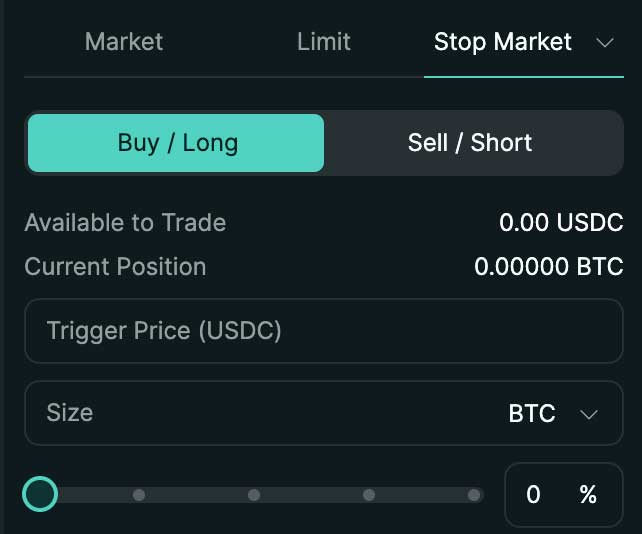
On Hyperliquid, the stop market order allows traders to set a trigger price after which a long or short order should be filled. You are literally telling the exchange to execute a trade at any price once an asset hits a target price.
For example, if the current price of $SOL is $140 and you need it to break above $145 before trading, you can place a stop market order with $145 as the trigger price. This means that if $SOL reaches $145, the exchange immediately executes your order at the best available market price, which could be $145 or higher when slippage is applied.
To ensure that your order is executed when the asset price is actually going in the direction you predicted, the trigger price should be higher than the middle price for a long order and lower than the middle price for a short order.
Stop Limit Order:
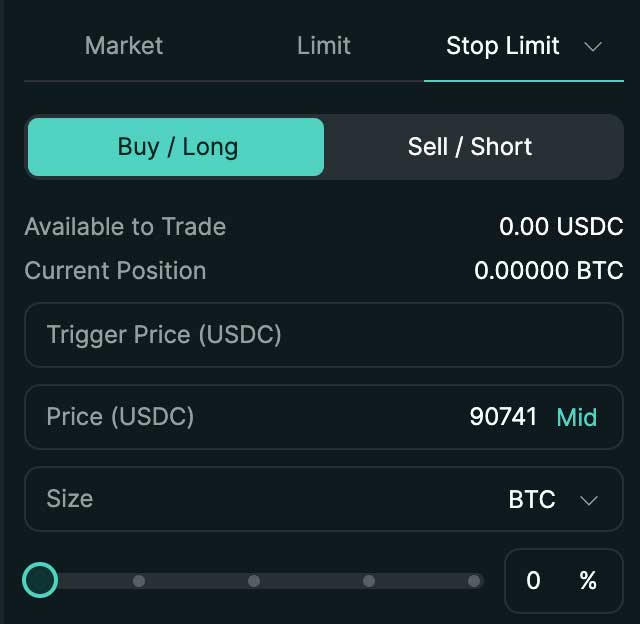
A stop limit order also requires setting a trigger price; however, unlike a stop market order, which executes at any price once the trigger price is reached, a stop limit order lets you set both the trigger price and the price at which you want your order to be filled, which is referred to as a limit price.
The instruction here is to have the exchange execute a long or short order at a specific price once the trigger price is reached. This prevents the exchange from executing your order at any price.
For instance, if $SOL is trading at $140 and you intend to start trading only if it breaks above $145. You can use a stop limit order to set the trigger price at $145 and also set a limit price at $144. This means that once $SOL breaks above $145, your limit order of $144 is triggered.
This implies that when $SOL reaches $145, there will be a temporary pullback to $144, where your order will be executed. If the price continues to rise above $145 without a pullback, your order will not be executed.
Scale Order:
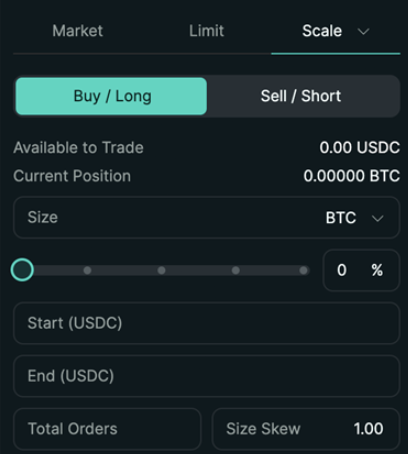
Another trading option on Hyperliquid is the scale order. This option allows traders to place multiple limit orders within a defined price range with necessarily attracting slippage.
Using scale order, you get to set the start and price for the asset you want to trade, then proceed to split the total order into smaller sizes. The exchange then automatically places these orders at different price levels within the price range you set. This option ensures that large volume trades are easily filled without high slippage.
TWAP Order:
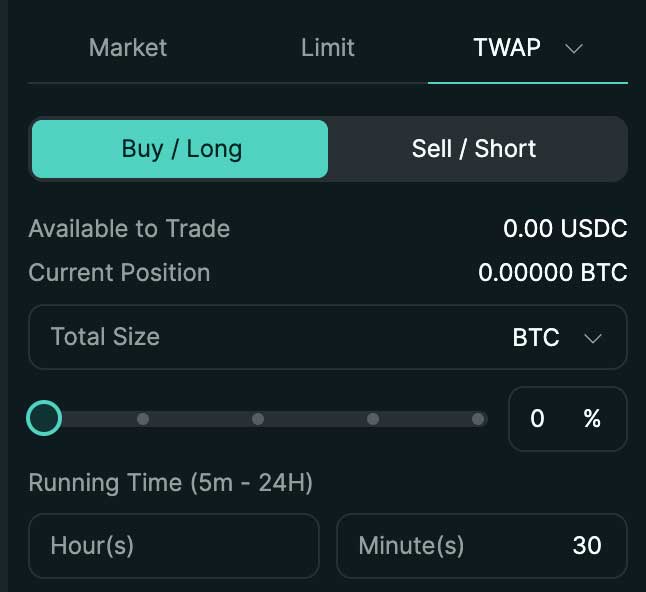
This trading option is for large-volume traders. The option is designed to allow traders to execute large orders without impacting the asset price.
Large orders drive up asset prices, causing temporary volatility. To prevent this, Hyperliquid introduced a trading option that allows traders to break down their orders into small suborders, each executed within a 30-second interval with a maximum 3% slippage.
For instance, if a trader wants to complete a long order of $500,000, they can break the order down into ten $50,000 orders. The system auto-executes each $50,000 order every 30 seconds without increasing the price of the asset.
Additional Order Modifiers
Along with trading options, Hyperliquid also offers additional options that allow you to take better control of your order depending on market conditions. These are:
Good Till Cancelled (GTC)
This allows you to set up a long or short order for an extended period (sometimes indefinitely) until it is filled. Your order stays in the order book until it is automatically filled at the set price or until you cancel the order yourself.
Post Only (ALO)
This option allows you to place an order at a limit price below the current market price. With this, your order is not executed immediately; instead, it is added to the order book as a limit order which adds liquidity to the market and therefore allows you to enjoy reduced fees.
Immediate Or Cancel
It is an order set to be filled immediately. The order is filled immediately and everything that can't be filled directly is cancelled.
Reduce Only
This option allows you to reduce your current trading position, without opening a new position. Reduce-only is used in a very volatile market when traders need to manage risk effectively.
For instance, you open a long order of 10 $SOL at $140 and decide to lock in some profit when $SOL hits $155 without closing the entire trade. You can use the reduce-only option to instruct the exchange to sell 6 $SOL and leave only 4 $SOL in the position instead of closing the 10 $SOL and opening a new order for 4 $SOL.
Take Profit and Stop Loss (TP/SL)
This option is available when or after setting up your order, and it allows you to take profit or minimize loss on your trade automatically. Take profit instructs the exchange to close your position when your trade is profitable, while stop loss tells the exchange to close when you are in a loss.
Assuming $SOL is trading at $140, and you open a long or short order at the market price. You can use TP/SL to instruct the exchange to close your position when the price hits 20% in profit or loss. This automatically closes your position when $SOL rises or falls by 20%, whichever is reached first.
How to Fund your Hyperliquid Account
One notable challenge traders face in Hyperliquid is its funding model. To fund your wallet, Hyperliquid allows traders to either deposit $UDSC through Arbitrum Chain or $Ethereum on the Ethereum blockchain. However, since assets on the platform are currently paired with $USDC only we recommend sending $USDC using Arbitrum Chain.
- To get started, deposit $USDC and $ARB to the Arbitrum Chain on any of your existing decentralized wallets, such as MetaMask or Trust Wallet. The $ARB would be used to cover gas fees when transferring USDC to your Hyperliquid account.
- Now that you have enough USDC for trading, connect your decentralized wallet to Hyperliquid by clicking Connect on the Hyperliquid dashboard above.
- Once connected, initiate a USDC transfer from your decentralized wallet to Hyperliquid. This process automatically deposits USDC into your Hyperliquid account, where you can use it for trading.
How to Start Trading on Hyperliquid
Step 1: Create and Fund your Hyperliquid account (Get 4% Discount on Fees With Our Affiliate Link)
Step 2: Select trading pair, eg SOL-USDC
Step 3 Set your margin to either isolated or cross
Step 4: Select trading option (e.g., market order, limit order or any other option discussed above)
Step 5: Select if you want to open a long or short order
Step 6: Input the limit price to set a limit order, or trigger price for a stop market order.
Step 7: Now, set your take profit and stop loss (optional)
Step 8: Click on long or short
With these simple steps, you have successfully created an order. Depending on the selected trading option, your order may be executed immediately or will wait until the set price is reached.
Conclusion
Hyperliquid offers a wide range of order types that give traders precise control over entries, exits, and risk management. From simple market and limit orders to advanced tools like scale orders and TWAP, understanding how each option works can significantly improve your trading execution and reduce unnecessary costs such as slippage or poor fills.
If you’re planning to trade on Hyperliquid, make sure you take advantage of lower trading fees from the start.
By signing up using our referral link, you’ll receive a 4% discount on trading fees, which can make a noticeable difference over time, especially for active traders.
👉 Start trading on Hyperliquid and receive 4% lower fees using our affiliate link
Frequently Asked Questions
What is the difference between a stop market order and a limit order?
The difference between a stop market order and a limit order is that with a limit order, you set the exact price at which your order should be filled. With a stop market order, you only set the trigger price, meaning the exchange will execute the order at the best available market price once the trigger is reached. This can result in the order being filled slightly above or below the trigger price, especially during high volatility.
What is the difference between cross and isolated margin?
With cross margin, all available funds in your futures wallet are shared across all open positions. This reduces the chance of liquidation but puts your entire balance at risk if the market moves strongly against you.
With isolated margin, only the margin you allocate to a specific position is at risk. If that position is liquidated, the rest of your balance remains safe. Isolated margin is generally safer for beginners and for risk management.
What does TWAP stand for?
TWAP stands for Time-Weighted Average Price. A TWAP order splits a large order into smaller trades and executes them gradually over a set period of time. This helps reduce market impact and avoids sudden price spikes caused by placing a large order all at once.
What is the effect of leverage on my trades?
Leverage allows you to open a larger position with a smaller amount of capital. While this can increase potential profits, it also increases risk. A small price movement against your position can lead to larger losses and even liquidation. Higher leverage means higher risk, so it’s important to use leverage carefully and apply proper risk management.
Related Articles
- Apex Omni Order Types Explained
- Best No KYC Crypto Trading App List for Beginners
- Apex Omni Fees Explained - Save Money Using The Post-Only Hack