Best Hyperliquid Tools for Traders (2026 Guide)

Hyperliquid is a leading decentralized exchange built to facilitate fast perpetual futures trading. It relies on a Layer 1 open-source blockchain for transparency, allowing anyone with the right tools to view trading history and details. While executing trades on Hyperliquid is generally easy, crypto trading requires a high level of skill, experience, and proper risk management.
Using popular Hyperliquid analytical tools increases transparency by translating blockchain data into a readable format for every trader. With these tools, traders can analyze trades and monitor on-chain activity to discover the best trading strategies or learn how to copy profitable Hyperliquid wallets for a better trading experience.
To explore how perpetual futures trading works on Hyperliquid, check out our previous article on Hyperliquid order types, or continue reading for a detailed review of the 5 Hyperliquid tools you can use to gain insight into trading and token performance.
TL;DR
|
Tool |
Use cases |
|
|
1 |
Dexly Hyperliquid Leaderboard |
Wallet tracker & copy trading |
|
2 |
CoinGlass |
Wallet tracking by size & token positions overview |
|
3 |
Nansen Hyperliquid Perp Screener |
API tracking & on-chain analytical |
|
4 |
3Commas |
API bot trading & DCA |
|
5 |
Whalestreet |
Whale tracking & 24/7 support for copy trading |
Why Use Hyperliquid Trading Tools?
Because Hyperliquid is fully on-chain, traders can access a wide range of analytics tools that reveal wallet activity, whale positions, and market sentiment. Using the right Hyperliquid trading tools allows traders to track profitable wallets, monitor smart money flows, and discover new trading opportunities faster.
Dexly Hyperliquid Leaderboard
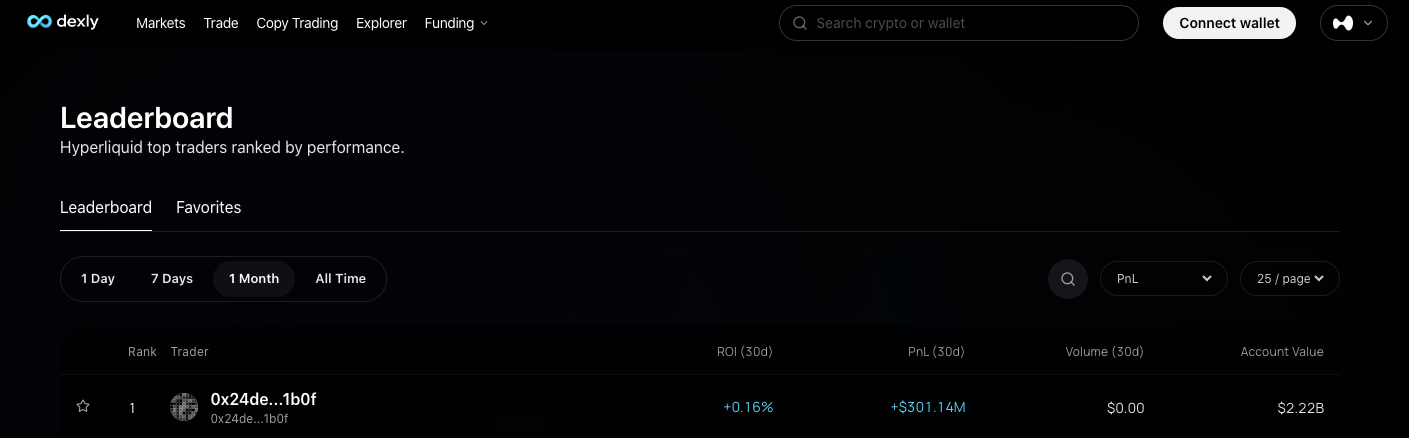
Using the Dexly Hyperliquid leaderboard is one of the easiest ways to discover lead traders on Hyperliquid. The leaderboard ranks Hyperliquid traders by performance across different time windows. This makes it an effective tool for both new and experienced traders to view wallet addresses with metrics like account value, Profit and Loss (PnL), Return on Investment (ROI), and 30-day trading volume.
You can click on each wallet address to analyze wallet performance for copy trading and sentiment prediction. For instance, a good number of traders making high profits on long positions reflect a bullish sentiment. Also, traders with consistent profits likely combine proper trading strategies with a deep understanding of the market, which can benefit new traders learning how to trade successfully.
Dexly Hyperliquid leaderboard ranks positions in real time based on closed positions, and users can sort the results by different metrics or filter by time windows (24h, 7d, 30d, and all-time) to improve accuracy.
|
Pros |
Cons |
|
Seamless interface for live perp trading |
Ranking may be inaccurate during high-activity periods |
|
Track your wallet easily for copy trading. |
Reflect traders’ profit, not necessarily skill |
|
An advanced wallet breakdown is accessible. |
|
|
Favourite functionalities to pin traders for consistent follow-up |
How to Use Dexly Hyperliquid Leaderboard
- Step 1: Visit the Dexly website
- Step 2: Scroll down under product to select the leaderboard
- Step 3: Review details and use the available metrics to filter the result
CoinGlass
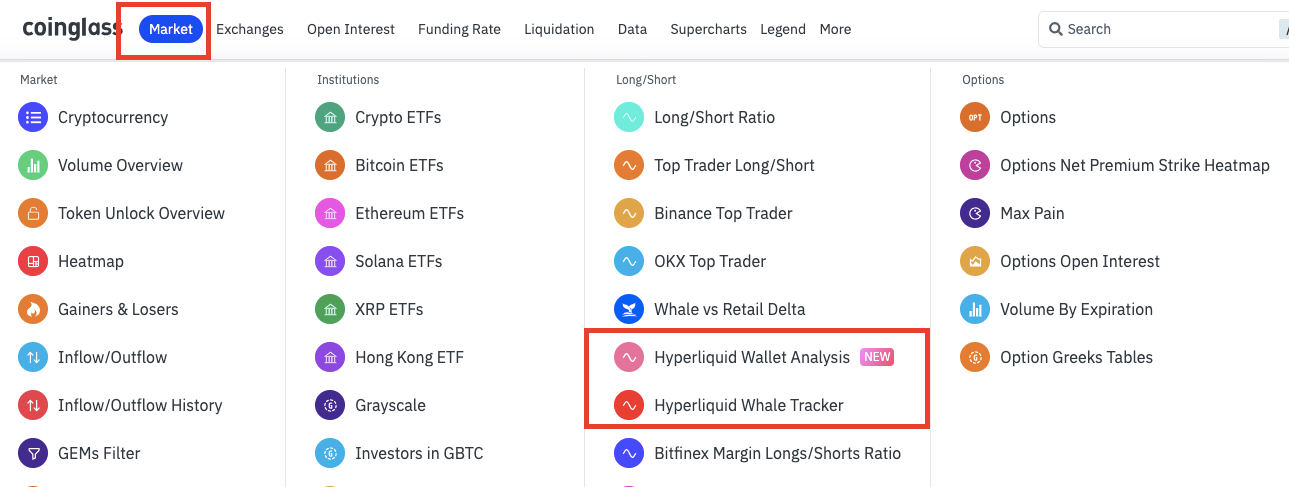
CoinGlass is another leading crypto analytical tool used by traders to review on-chain trading activities. Using available metrics, users can track wallet positions and whale activity, like the Trump insider wallet, on Hyperliquid in real time.
CoinGlass categorizes Hyperliquid wallets into groups based on trading size, allowing users to track traders with different capital levels and risk appetites. If you are a new crypto trader, you can review the activities of traders with a similar portfolio size by selecting a group with a low trading size (between $0 and $10k). Experienced or high-volume traders can select from top accounts for insight.
Use Cases Summary:
- Wallet tracking: Monitor wallet activities like position, trading size, PnL
- Hyperliquid position heatmap: Get trading overview for different coins or tokens
- Whale tracking: Follow how large-volume traders move between positions and tokens to analyze sentiment better.
How to use CoinGlass for Hyperliquid tracking
- Step 1: Visit the Coinglass website and click on 'Market'
- Step 2: Click on Hyperliquid wallet analysis to use the Hyperliquid position heatmap or track on-chain trading by size or profit and Loss percentage (PnL), or
- Step 3: Click on ‘Hyperliquid Whale Tracker’ to review the crypto whales' position.
The position heatmap gives you an instant overview of trading activities on that coin. With that, you can see the number of traders/wallets interacting with the coin and the size in long or short positions.
Alternatively, you can track on-chain trading by size or profit and Loss (PnL) percentage. Use the categories from shrimp to leviathan (for the trading size category) or from Money printers to rekt masters (for the PnL category). To view sentiment in real-time or get a detailed breakdown of traders' activities, click on the wallet address for positions, unrealized PnL, and trade history.
|
Pros |
Cons |
|
Free real-time wallet tracking with notifications |
Tracking multiple wallets can take time. |
|
High trading size coverage ($0 - $500M) |
|
|
Clear sentiment direction (Bullish / Bearish) |
|
|
Advanced crypto data API |
Nansen Hyperliquid API
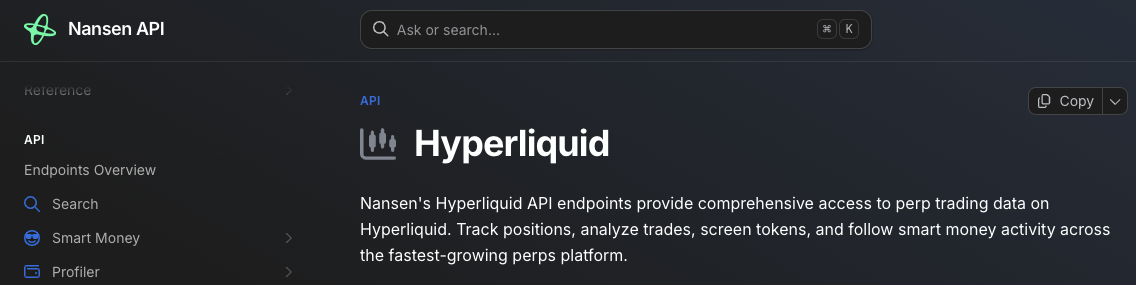
If you want to know who is moving money in the crypto market, Nansen is a solid analytical platform. With Nansen, crypto traders can gain deep insights into market activity, understand what is driving the market, and better predict token price direction.
As part of its analytical tools, Nansen offers an API for Hyperliquid wallet tracking to provide users with wide access to perpetual trading data. Using the API, you can track wallet positions and smart money activity, screen tokens, and analyze trades.
Use Case Summary
- Wallet tracking: Consistently follow up with traders' perpetual positions, PnL, and account health in real time.
- Analyze trader's activity: Get a detailed overview of any wallet address's trade history and execution data.
- Screen perpetual trading activity: Find high-volume tokens and smart money flows on Hyperliquid.
- Find top performers: Discover the most profitable traders on specific tokens.
How to Use the Nansen Hyperliquid API
- Step 1: On the Nansen website, click on "Nansen API' then select Sign up for API Key
- Step 2: Sign up and click ‘Nansen Hyperliquid API’
- Step 3: Get your API key from Nansen
- Step 4: Select endpoints for any use cases, including wallet monitoring, copy trading, or market discovery.
- Step 5: Add a filter to define the result. You can use volume, PnL or timeframe (24H, 7D, 30D).
- Use the endpoint and your API Key on Nansen to generate the required data
|
Pros |
Cons |
|
Globally recognized crypto analytical tool |
Requires advanced blockchain knowledge to use. |
|
Offers advanced trading insight |
Not a cost-effective option for traders with low capital. |
|
Extremely efficient for whales/smart money tracking |
|
|
Personalized API keys allow traders to filter on-chain activity for what they really want, not just what is available to everyone. |
3Commas

3Commas is a cloud-based non-custodial crypto trading tool that can be integrated with Hyperliquid for faster API trading. The platform provides users with Unique API keys that can be used with Hyperliquid for swift bot trading and DCA, making it a powerful tool for grid traders, high-frequency traders, and long-term crypto investors looking to acquire crypto assets at different price ranges.
For advanced trading signals, you can link this tool with TradingView to get alerts automatically when any price indicators are triggered.
Use Case Summary
- Grid Bots: Set up a buy low and sell high grid trading to make a profit from a crypto asset as its price oscillates.
- DCA Bots: Set up automated buy orders to purchase tokens at different price points.
- Smart trade: Use the 3Commas advanced tools like trailing stop-loss, take profit, and more for better trading strategies and risk management
How To Use 3Commas API Key
- Step 1: Set up your Hyperliquid account by signing up with your email address or connecting your decentralized wallet
- Step 2: On the Hyperliquid dashboard, navigate to the API section to create a new API key for 3Commas
- Step 3: Now sign up on 3Commas and click on 'My Portfolio'
- Step 4: Select Hyperliquid from the list of exchanges available and paste the API details you generated in step 2.
|
Pros |
Cons |
|
Faster trade execution |
Technical bug or downtime |
|
Automated trading with little supervision |
Works with preset strategies. Cannot adapt quickly to changing market conditions |
|
Free bot trading for beginners |
|
|
Offers advanced API trading under the paid version |
Hyperliquid Whale Alerts
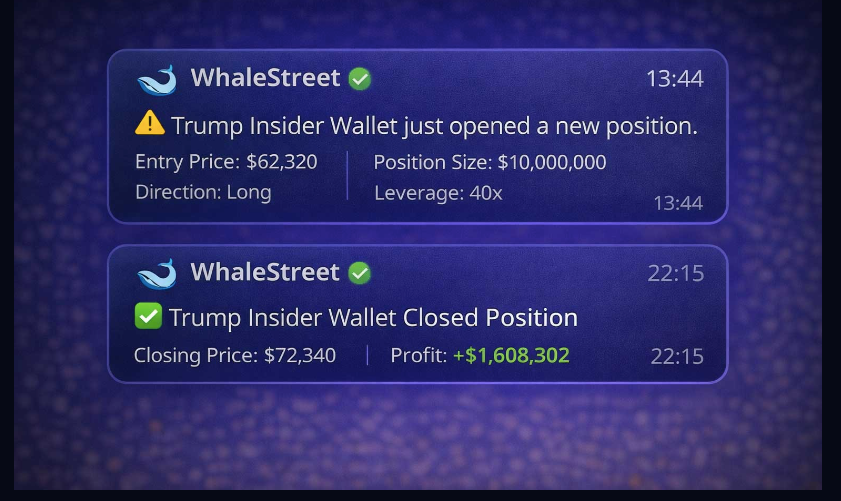
Whalestreet is a beginner-friendly tracking tool for Hyperliquid Whale Alerts. With it, beginners or experienced traders can gain analytical insight into the trading activities of large-volume traders, or whales, without a deep knowledge of blockchain or extensive capital.
Whalestreet eliminates the hassle of running endpoints, paying for API keys, or learning whale-tracking mechanics; instead, it offers a simplified approach to on-chain tracking via a Telegram channel.
Whalestreet alerts notify users whenever large traders open or close significant positions on Hyperliquid. This allows traders to quickly identify potential market sentiment shifts and react faster to large liquidity movements.
Why should you try this?
- No requirement for API keys or endpoint knowledge
- Suitable for all crypto traders (from beginner to pro-level)
- Affordable access to whale and smart money on-chain activities
- Live updates ensure that you do not miss a thing
- Easy to integrate with copy trading strategies to increase profit margins.
Conclusion
Crypto trading has evolved, and to achieve a profitable trading history, traders need to develop effective strategies, a deep understanding of the market, and learning how to track smart money on hyperliquid. With this, you can minimize losses and increase profit margin effortlessly. One of the best ways to do this is to use analytical tools to review on-chain trading activity by low- and high-volume traders.
To achieve that, a combination of several tools is required. For instance, combining the Dexly Hyperliquid leaderboard with Whalestreet and CoinGlass gives you a comprehensive overview of crypto trading. You can use Whalestreet to get timely updates on whale transactions, select and pin a few whales on Dexly for consistent follow-up, and track trading by size on CoinGlass for more insight.
By combining tools like Dexly for trader discovery, CoinGlass for whale tracking, and Whalestreet for real-time alerts, traders can gain a significant edge when trading on Hyperliquid.
| Tool | Best For | Skill Level | Free Option |
|---|---|---|---|
| Dexly | Finding profitable traders | Beginner | Yes |
| CoinGlass | Whale tracking | Beginner | Yes |
| Nansen | Smart money analytics | Advanced | No |
| 3Commas | Automated trading | Intermediate | Yes |
| Whalestreet | Whale alerts | Beginner | Yes |
Frequently Asked Questions
What are crypto analytical tools?
Crypto analytical tools provide real-time insight into crypto transactions. Usually, the tools are connected to different blockchains and other blockchain infrastructure, where they can fetch trading data and upload it in a more readable format.
What is Hyperliquid?
Hyperliquid is a leading decentralized exchange designed to offer traders CEX-like perpetual futures trading without KYC.
What is Copytrading?
Copy trading is a process that allows passive or new traders to profit from the trades of experienced traders. It is like receiving signals on the price direction of a particular crypto asset and executing the trade. However, the process differs from signal sharing because the lead trader executes the trade first, before others can copy it.
What are analytical metrics?
Analytical metrics are filters used to determine the type of on-chain data you want. For instance, a leaderboard can rank wallets using different metrics; however, traders can personalize the ranking by using preferred metrics for the desired purpose.
Related Articles:
- Hyperliquid Whale Tracker Explained (CoinGlass Guide)
- Best Decentralized Exchanges in 2026: Top 5 DEX Compared (Fees, Liquidity & Features)
- How to Copy HyperLiquid Wallets