How to Safely Follow Whales on Hyperliquid (With Alerts & Indicators)

Following whales on Hyperliquid can be profitable, but it can also be extremely dangerous.
Large traders, also known as whales, often perform better than retail traders. This is one of the main reasons why many people try to follow their trades. However, whales are not always right. We regularly see large accounts lose significant amounts of capital when the market moves against them.
If you follow a whale who is on the wrong side of the trade, you can quickly lose money as well.
There are no certainties in the market, so risk can never be fully avoided. But you can reduce your risk by adding a few extra steps before entering a trade.
In this guide, we will explain how to follow whales on Hyperliquid in a smarter and safer way using tools like whale alerts, sentiment indicators, and liquidation heatmaps.
If you are still learning the platform itself, it helps to first read a Hyperliquid step-by-step guide so you understand how positions, execution, and risk settings work before following other traders.
In short: taking a few extra steps before following whales on Hyperliquid can significantly reduce your risk.
What Are Hyperliquid Whale Alerts?
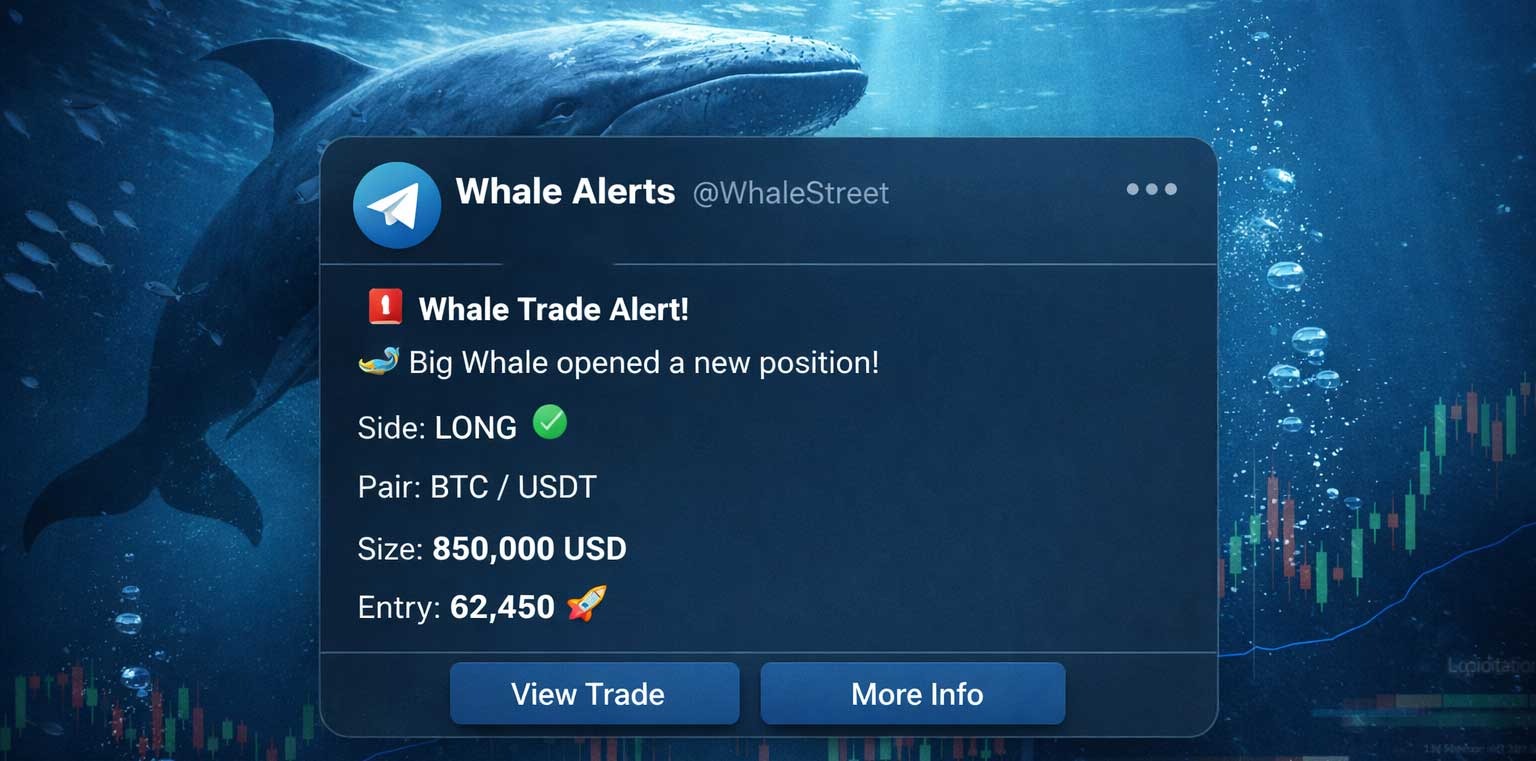
If you want to copy Hyperliquid whales, you mainly have two options. You can either copy a trader directly or follow whale alerts (e.g., WhaleStreet) and place the trades yourself.
The second option is generally safer because it gives you a moment to decide whether you actually want to enter the trade.
Hyperliquid whale alerts are notifications that show when large traders open or close positions on the platform. These alerts help you track smart money in real time and see what experienced traders are doing in the market.
If you blindly copy a trader and they make a mistake, you can lose your capital just as quickly. By placing the trade yourself, you can first check additional data, confirm the setup, and decide if it fits your strategy.
This approach takes a bit more time, but it can help you avoid bad trades and improve your overall results.
Why Copying Whales Is Risky
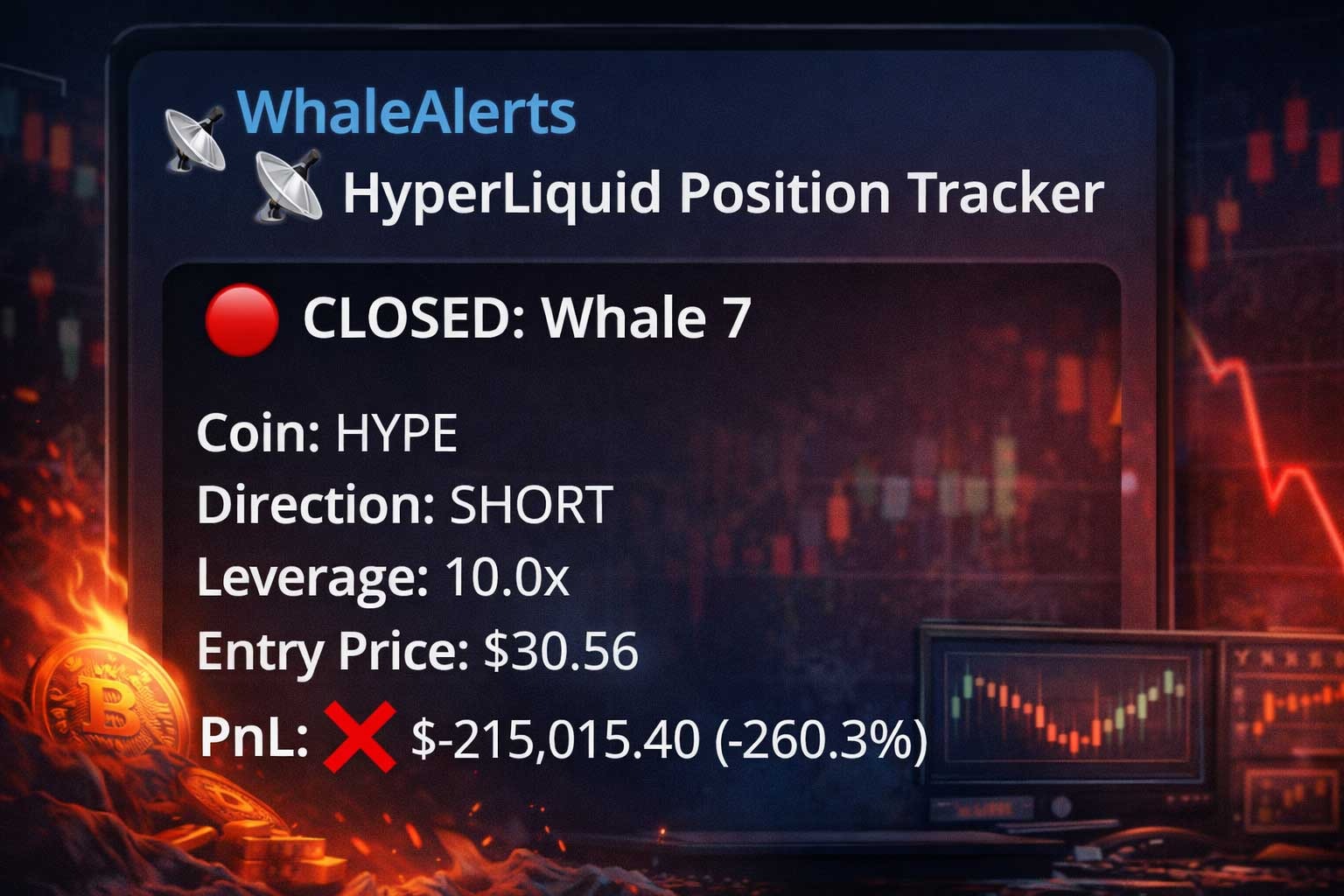
Although statistics show that whales tend to be more profitable, blindly copying their trades can still be very risky.
Whales are not always right. Even experienced traders can make mistakes or take high-risk positions that do not work out. We regularly see large accounts lose a significant part of their capital when the market moves against them. If you are copying these trades, you will take the same losses.
A good example is the Trump Insider Wallet, which gained a lot of attention for opening large positions before major news events and generating significant profits. However, even this whale eventually lost a substantial amount of capital.
Although we do not see the full picture behind these trades, it shows that even the most followed and successful wallets can make mistakes.
Another important factor is that whales often have different strategies, risk tolerance, and capital compared to retail traders. A whale might be able to hold a losing position longer or use hedging strategies that are not visible when you copy their trades.
Timing also plays a role. By the time you enter a trade, the price may have already moved, which can lead to worse entries and higher risk.
For this reason, it is important not to blindly follow whale trades. Instead, you should learn how to track smart money on Hyperliquid and confirm trades using additional data before entering.
Confirm Whale Trades with Indicators
There are several indicators you can use to double-check whale trades on Hyperliquid. Using these tools can improve your profitability and help filter out weaker trades that are more likely to fail.
It is important to understand that we do not know the exact intention behind a whale’s trade. We only see the entry and exit. Because of this, blindly following whale alerts on Hyperliquid can be risky.
However, you can analyze the past trading behavior of a whale. For example, some whales perform better with short positions, while others focus more on swing trades. If a whale is known for strong short trades, you might want to be more careful when following their long positions.
By combining whale alerts with additional indicators, you can make more informed decisions and avoid unnecessary risks.
Now let’s take a look at some of the most useful indicators to confirm whale trades on Hyperliquid.
How to Use Sentiment When Following Whale Trades
Sentiment can be very helpful when following whale trades on Hyperliquid. Both retail traders and whales are influenced by the emotional state of the market.
When you are active in the market, it often feels like an emotional rollercoaster. Understanding this can help you position yourself better and avoid common mistakes. For example, you should be careful when the market is overly optimistic or overly negative.
There are two main ways to analyze sentiment. Let’s take a look at them.
Crypto Fear and Greed Index
One way to measure sentiment is by using the Crypto Fear and Greed Index. This index uses multiple data points to calculate a daily sentiment score.
It is important to see this as a broader market indicator rather than a short-term signal. Sentiment usually shifts gradually, not instantly. The market will not move from extreme fear to extreme greed in a single day.
This means that even during a fearful market, you can still have short periods of optimism, and vice versa.
Daily Sentiment Reading
Another way to track sentiment is by analyzing daily sentiment on social media. Platforms like WhalePortal track how bullish or bearish the market is on a daily basis.
For example, if the Crypto Fear and Greed Index shows greed and the daily sentiment is also extremely bullish, you may want to be more cautious with opening long positions.
When the overall sentiment is too positive, it often signals that the market is overheated, which increases the chance of a correction.
Liquidation Heatmaps
Liquidation heatmaps are a powerful tool to identify support and resistance levels in the market.
You can use these heatmaps in a preventive way. For example, if a large liquidity cluster is forming, you can watch these levels closely. When the price approaches these zones and whale trades are triggered, it can be a strong signal to enter a trade.
Another way to use liquidation heatmaps is by identifying large clusters as price magnets. Price often moves toward these levels, although timing the move can be more difficult.
To understand this better, you can read our full guide on liquidation heatmaps.
Buy & Sell Pressure (Order Flow)
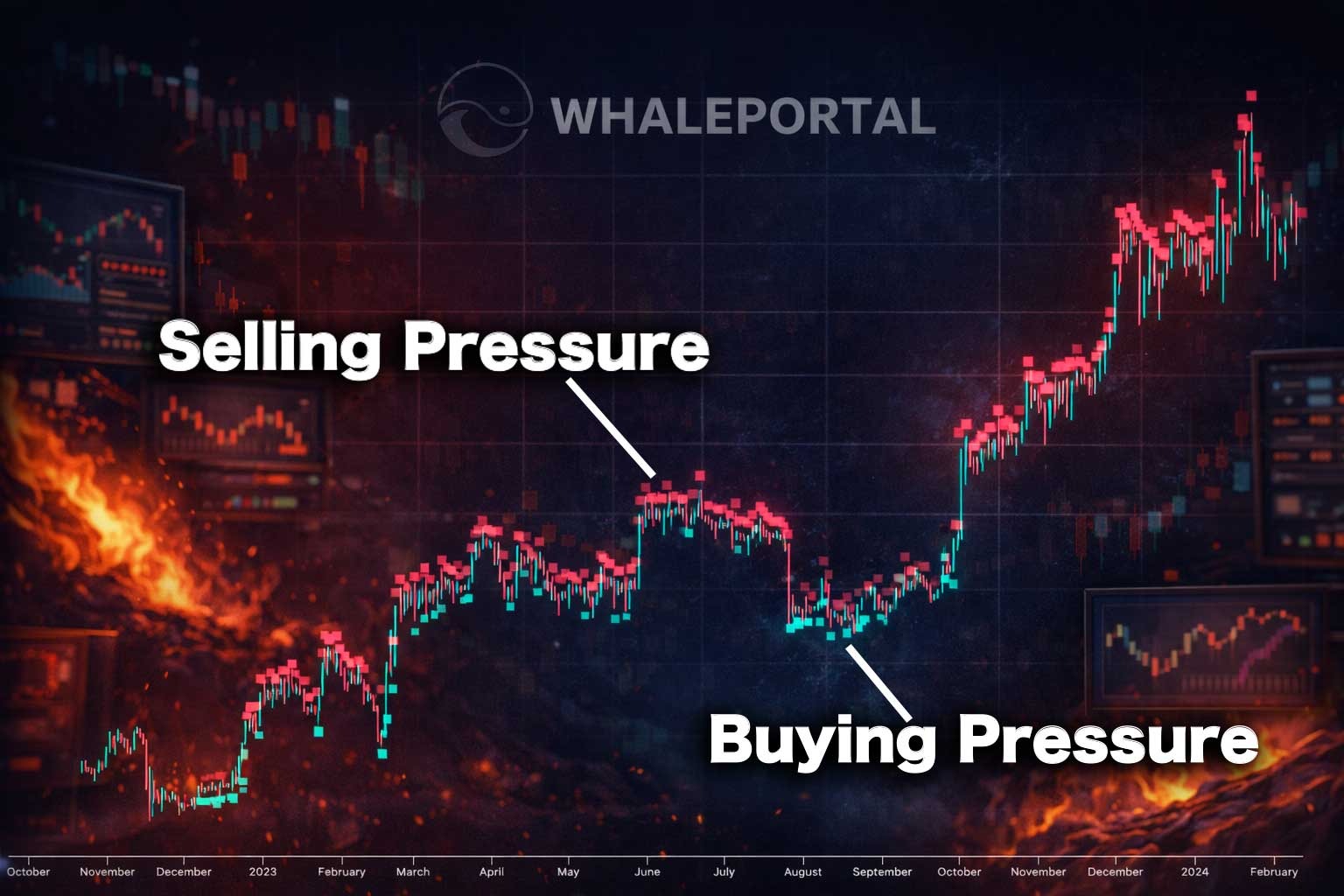
Buy and sell pressure, also known as order flow, helps you understand where the pressure in the market is coming from.
If selling pressure is increasing and you see that price has been dropping during similar conditions, you should be more cautious when opening long positions based on whale alerts.
By combining order flow with whale trades on Hyperliquid, you can better judge whether a trade has strong momentum behind it or not.
Support & Resistance or Other Indicators
Using tools to define support and resistance levels outside of Liquidation heatmaps can be very useful too, like horizontal price levels or the VPVR indicator, for example.
You might already be using other indicators in your trading strategy. This could be anything from technical indicators to more controversial methods (e.g., Moon Trading Strategy). Either way, if it works for you, it can be a valuable addition.
When following whale trades on Hyperliquid, you can combine these indicators with tools like whale alerts, sentiment data, and liquidation heatmaps. This creates stronger confirmation before entering a trade.
By building your own mix of indicators and confirmations, you can develop a more reliable strategy to decide whether a whale trade is worth following or not.
Step-by-Step Strategy
Step 1: Receive a whale alert on Hyperliquid
Step 2: Check overall market sentiment
Step 3: Review liquidation heatmaps and key levels
Step 4: Confirm buy and sell pressure (order flow)
Step 5: Compare with your own indicators
Step 6: Enter the trade with proper risk management
Conclusion
Following whales on Hyperliquid can give you an edge, but only if you approach it the right way.
Blindly copying trades is risky and can lead to unnecessary losses. By using whale alerts together with sentiment, liquidation heatmaps, and your own indicators, you can make more informed decisions.
Over time, this approach helps you filter out low-quality trades and focus on higher probability setups.
If you want to learn more, read our full guide on how to use Hyperliquid and how to track smart money effectively.
Join WhaleStreet to receive real-time Telegram alerts of Hyperliquid whales opening trades and never miss important market moves.
Related Articles:
- BTCC vs Bitunix Exchange
- Apex Omni vs AsterDEX (2026): Best DEX Compared
- Aster DEX Tutorial & Review (2026) – Fees, Safety & How to Use